Black box
Classic solid redaction — cover sensitive detail with an opaque rectangle or circle.
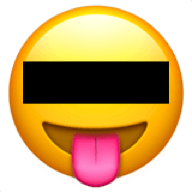 Redacted
 Redacted is a focused image-redaction tool that runs entirely in your browser. Hide faces, license plates, names, or any sensitive detail in seconds — no uploads, no accounts, no tracking.
Classic solid redaction — cover sensitive detail with an opaque rectangle or circle.
Scramble the area into chunky pixels so details can no longer be read or recognised.
Soft blur for a more natural look while still hiding the underlying content.
Cover a face or object with an emoji — great for anonymising casual screenshots.
Rectangular selections for text, documents, and anything with straight edges.
Circular selections that follow faces and rounded shapes more naturally.
Drop an image file from your desktop directly onto the page to start editing.
Paste screenshots or image URLs with Ctrl/⌘ + V — no need to save a file first.
Pick an image from your device with the native file picker, including camera on mobile.
Add as many redactions as you need. Resize, move, or remove each one independently.
Save the edited image as JPEG or PNG, with a clear -redacted_dot_app suffix.
Press Ctrl/⌘ + C while editing to copy the result straight into chat, email, or docs.
Your image never leaves your device. There is no server upload — all editing happens in your browser.
No sign-up, no login, no email. Open the page and start redacting.
No cookies, no analytics tracking, no third-party scripts watching you.
Exported images have EXIF metadata (including GPS/location) removed by default.
Once loaded, Redacted keeps working even without an internet connection.
Free to use with no hidden fees, subscriptions, or feature gates.
Redacted opens JPEG, PNG, GIF, and WebP images, and exports to JPEG or PNG.
"A super easy online tool to edit your images quickly. Blur, pixelate, and blackout a specific part of a picture — no install, no Photoshop knowledge needed."